


z

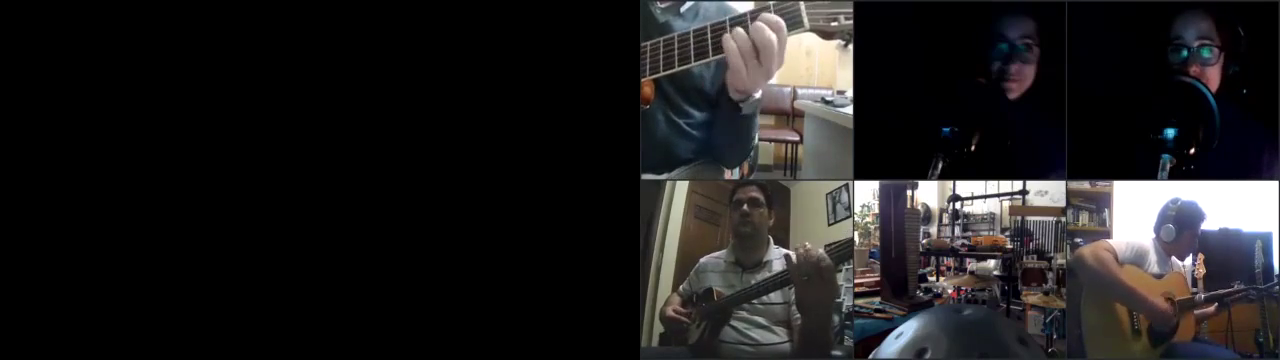
If I Needed Someone (Beatles) (Completed)

76 Views 67 plays
stubass
    92
    Published on 16 Jan 2026 / In Rock / Classic Rock

    "If I Needed Someone" is a song by the English rock band the Beatles, written by George Harrison, the group's lead guitarist. It was released in December 1965 on their album Rubber Soul, except in North America, where it appeared on the June 1966 release Yesterday and Today. The song reflects the reciprocal influences shared between the Beatles and the American band the Byrds. On release, it was widely considered to be Harrison's best song to date. A recording by the Hollies was issued in Britain on the same day as Rubber Soul and peaked at number 20 on the national singles chart.

    Harrison wrote the song for Pattie Boyd, the English model whom he married in January 1966. The lyrics convey an ambivalent tone, however, and have invited interpretation as a message to a casual love interest. Harrison based the song's jangly guitar riff on one used by Roger McGuinn in the Byrds' adaptation of "The Bells of Rhymney". "If I Needed Someone" features prominent three-part harmony vocals and Rickenbacker twelve-string electric guitar – the instrument that the Byrds had adopted to replicate Harrison's sound in the 1964 film A Hard Day's Night. The song's use of drone and Mixolydian harmony also reflected Harrison's nascent interest in Indian classical music. Following its inclusion in the set list for the Beatles' 1965 UK tour, it became the only Harrison composition performed live by the group.

    Show more
    23 Comments sort Sort By

    1tricktony
    1tricktony 10 days ago

    WOW!! Absolutely fantastic guys! Vocals, harmonies, instruments are all brilliant! Congrats!

       3   
    joeyman1
    joeyman1 9 days ago

    Hey Tony , Good to hear from you, thanks for the very high praise for this collab. We should get together soon for for a song or two . cheers joey

       1   
    1tricktony
    1tricktony 9 days ago

    @joeyman1: Absolutely, my friend! It's been great hearing all of your stellar vocals!

       0   
    yoshikoba
    yoshikoba 10 days ago

    Hi Stu I was finally able to achieve the 2023 Beatles mix in the preview screen after publishing. I also rearranged the video to match the audio placement. Thank you all for your support.

       2   
    stubass
    stubass 9 days ago

    Mucho arigato!

       1   
    stubass
    stubass 9 days ago

    Mucho arigato!

       1   
    yoshikoba
    yoshikoba 10 days ago

    admin ;Could you tell me how to publish without the left and right sounds being reversed?Until now, I separated the tracks left and right in the DAW, then published from the Studio screen. (If I publish from the DAW screen, the sounds are reversed.)But in my recent collaboration this method no longer works. The mix I make in the DAW is not reflected in the Studio screen, even though I save it. So I had to publish from the DAW, and the left and right sounds are reversed.
    Could you tell me how to make the DAW mix appear correctly in the preview screen after publishing?

       1   
    admin
    admin 10 days ago

    Publish from studio should not be reversed. How are you saving? You need to apply daw settings to save or click the utt button on the track.

       0   
    admin
    admin 10 days ago

    This collab?

       0   
    admin
    admin 10 days ago

    The mix is refecting in the studio only after you click the apply daw settings or for just one track click the utt button on that track.

       0   
    admin
    admin 10 days ago

    The reverse left and right only happens on the daw wav file that is created when you click the apply daw settings button. But in studio it should be correct

       0   
    admin
    admin 10 days ago

    Publish from daw uses the wav file. Publish from studio (use daw mix unchecked) will use a ogg file.

       0   
    yoshikoba
    yoshikoba 10 days ago

    @admin: I am following your instructions. After mixing in the DAW, I always click “Apply DAW Settings.”The problem is that even after doing that, when I publish from the studio screen, the mix from the DAW is not reflected. As a test, please try this: after applying “Apply DAW Settings” to my mix in the DAW for this collaboration (If I Needed Someone), publish it from the studio screen. If it works correctly, the lead guitar should come first from the right side, and then the rhythm guitar should come from the left side, just like in the DAW screen.

       1   
    admin
    admin 10 days ago

    @yoshikoba: Ok you found a bug. Looks like there is no left and right balance at all in studio. Only in DAW. Will need to get programmer to look at this. As a work around In daw if you want it right go left and visa versa. Then publish from daw. Thank you for reporting this bug.

       2   
    yoshikoba
    yoshikoba 10 days ago

    @admin: Okay, I understand. Thank you for your support.

       1   
    admin
    admin 3 days ago

    @yoshikoba: Try now when you can. I think it is fixed. In studio left right should work now.

       1   
    yoshikoba
    yoshikoba 3 days ago

    @admin: I published from the studio screen, but nothing changed. The audio is not separated left and right. Please listen to the current preview—everything is centered.

       0   
    admin
    admin 3 days ago

    @yoshikoba: Preview? Did you listen to it in studio and publish? You will need to go to daw and make the adjustment click either utt on the track or apply daw settings and then go back to studio and play all to hear the mix. Publish from studio to hear in review. If you just play just the track it will not play with the left and right seperated. The play all at the bottom should reflect the left right adjustments.

       0   
    admin
    admin 3 days ago

    @yoshikoba: Preview? Did you listen to it in studio and publish? You will need to go to daw and make the adjustment click either utt on the track or apply daw settings and then go back to studio and play all to hear the mix. Publish from studio to hear in review. If you just play just the track it will not play with the left and right seperated. The play all at the bottom should reflect the left right adjustments.

       1   
    yoshikoba
    yoshikoba 3 days ago

    @admin: It's perfect! Thank you so much for your support!!!

       0   
    Revup67
    Revup67 10 days ago

    yoshikoba - YES! much much better! great work Yoshi..nice and clear with good highs and lows. The tambourine is supreme in the mix now. Thank you.

       1   
    joeyman1
    joeyman1 10 days ago

    Thanks Stu , turned out a very nice collab , well done to all .

       2   
    Show more